
In CPaaS panel for Netcore Whatsapp API, you can schedule a report sharing using any or both of the two delivery methods
1. Email
2. SFTP
If you choose to use the SFTP method, Please follow below steps,
Create an SFTP Connection
Go to Reports.
Click on Manage Reports.
Navigate to Manage Connections to create the SFTP connection.
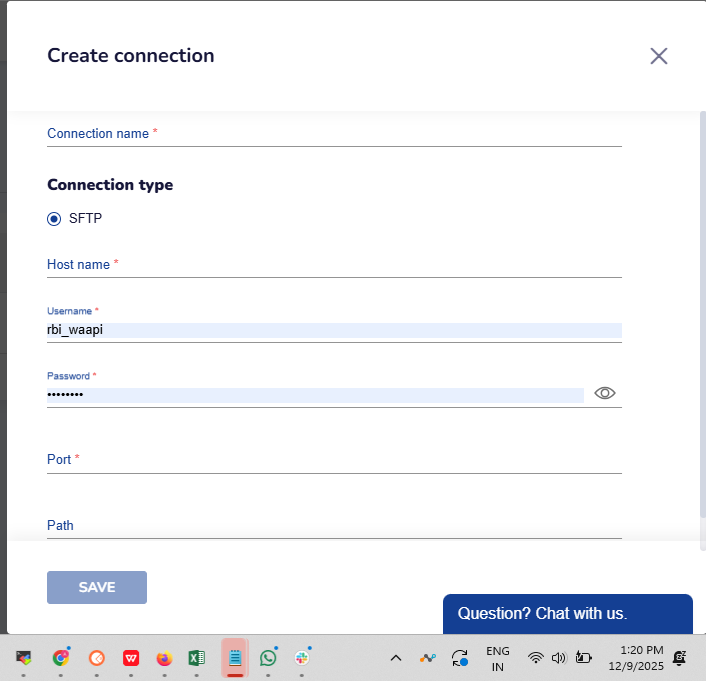
Click Create and fill in the required SFTP details:
- Connection Name
- Host Name
- Username
- Password
- Port
- Path
Once the connection is created,tested and approved, it will be ready to use while you schedule the reports.
2. Scheduling the Live Feed Report
Go to Live Feed.
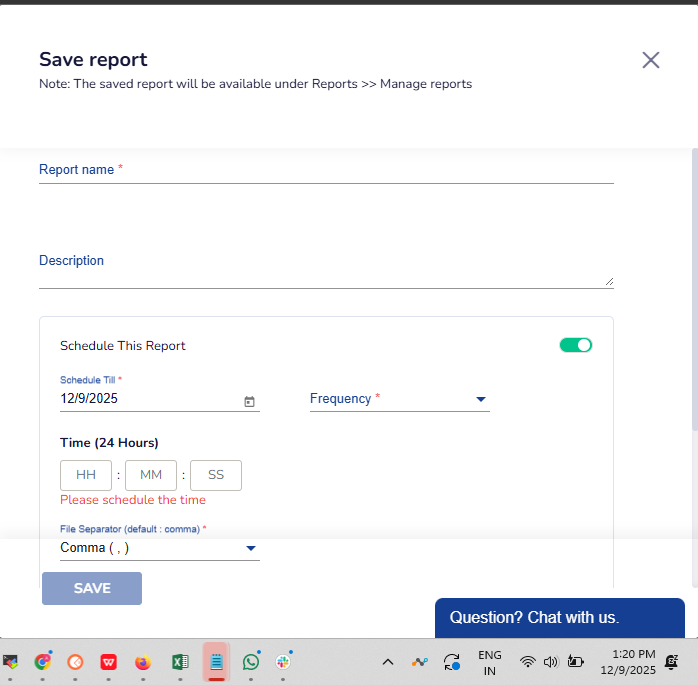
Click on the Save button to schedule the report.
Fill in the required details as shown in the screenshot.
Do reach out to us on live chat support available within CPaaS panel or write to us on help@netcorecloud.com for any more information required on the same.