
In order to add multiple users or upload a list of users on to your Netcore Email API panel you can follow below steps,
1. Login to your CPaaS account using https://cpaas.netcorecloud.com
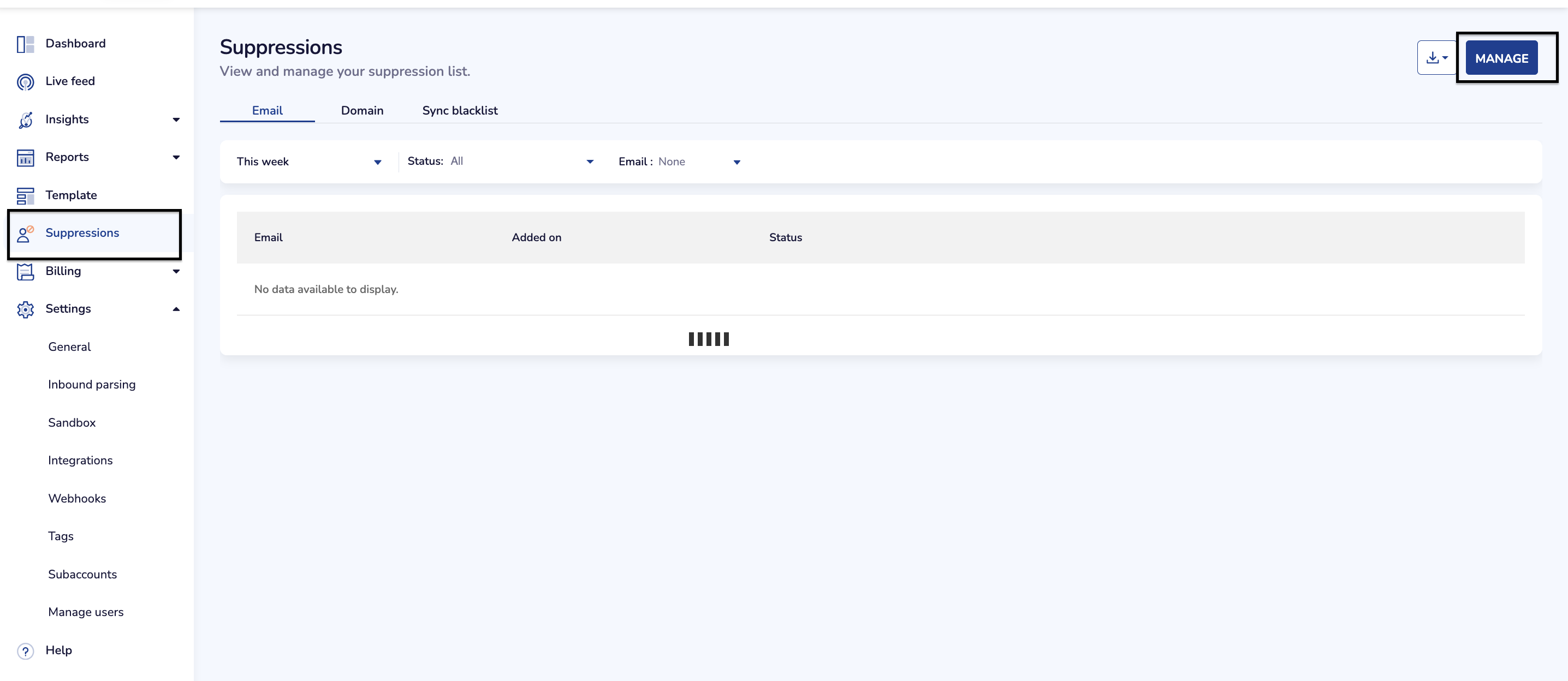
2. Go to suppressions and then manage as shown in below image,
3. Click on option "Add to suppression" and then browse to your CSV file which contains all the users to be uploaded in to suppression as shown in the below image,
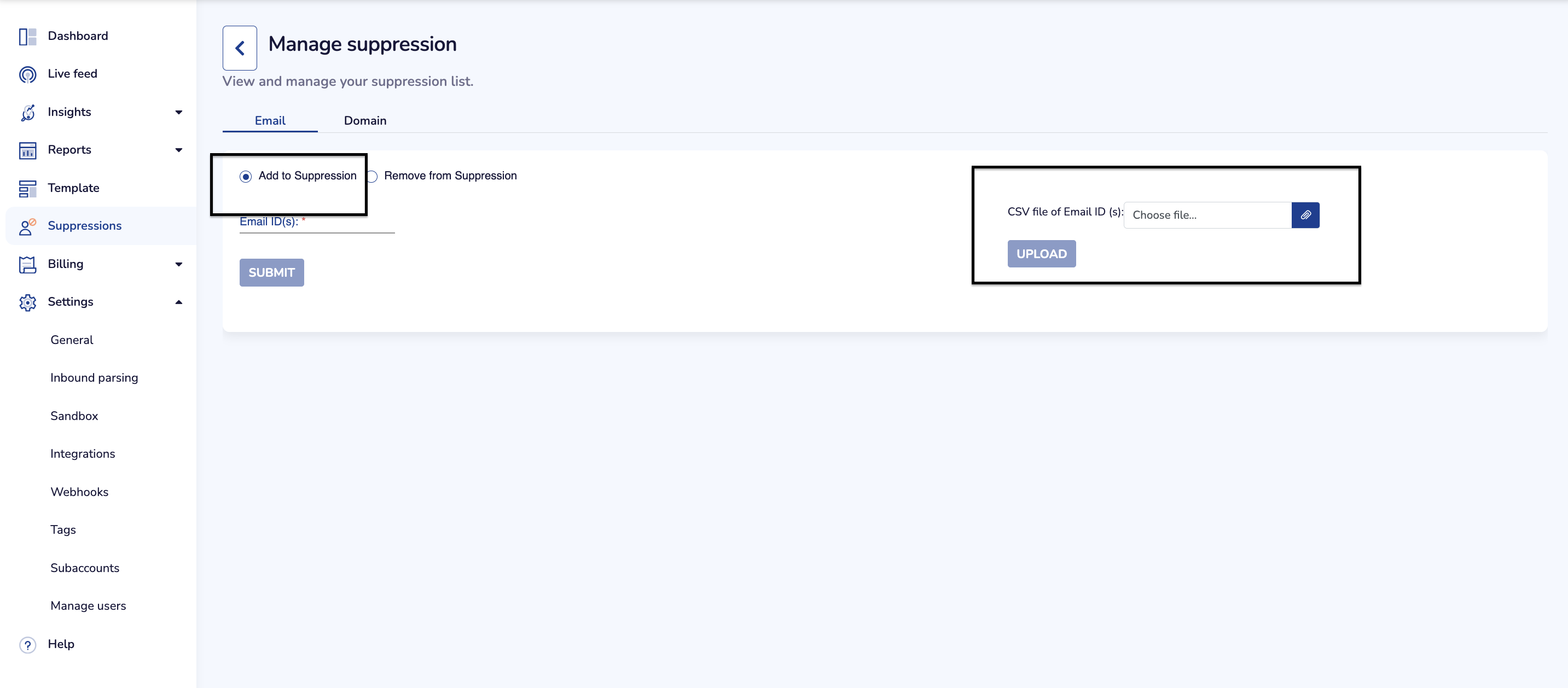
4. Once you choose the required file, hit submit to upload the users.
5. Once done, the same users would be added to the suppression in next 1-2 hrs.
Note:
1. The file to be uploaded should be in CSV format ONLY.
2. Please make sure that your file size is under 3 MB.
3. .csv.zip files are also supported for upload.